
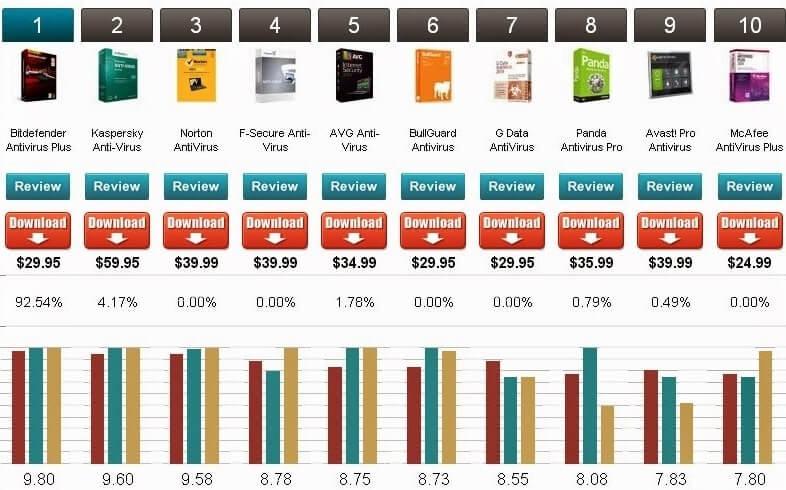

You can find many reliable antivirus programs for Windows 10. The best choice depends entirely on your specific needs and preferences. However, several popular options consistently receive excellent evaluations. To ensure you select the software that fits your setup perfectly, you must consider certain key criteria before purchasing antivirus software for Windows 10.
The primary goal of any antivirus program is to protect your computer from threats like viruses. You must choose software with a proven track record of identifying and eliminating various types of malware, including ransomware, spyware, and phishing attacks. Independent, third-party reviews and testing are the best way to determine the effectiveness of different antivirus programs.
You should consider the full range of features provided by the software. While core antivirus scanning is vital, you can enhance your security and user experience by looking for added features. These include real-time scanning, browser protection, a firewall, email scanning, parental controls, a Virtual Private Network (VPN), password managers, and system optimization tools.
An effective antivirus software must protect your system well without slowing it down significantly. A minimally disruptive program uses a low amount of CPU and memory. It scans documents quickly and manages system resources effectively.
Managing your antivirus software should be straightforward. The user interface is clean and organized, with simple controls. This layout provides quick access to essential settings and features.
Routine updates are crucial to keep your antivirus software up to date with the latest threats and security patches. Consider how often the vendor provides these updates. Reliable customer service and support are also essential if you encounter issues or need advice.
It is essential to verify the compatibility of the antivirus program with your specific version of Windows 10. Ensure your device setup meets the minimum system requirements.
You must choose an antivirus program from a reputable company with a solid track record in the security industry. Established vendors have a proven track record of delivering reliable and effective security solutions.
Don’t forget to factor in the long-term costs, including renewal or subscription fees. Compare the pricing plans and feature tiers of different brands. Find the offer that best matches your budget.
Read user reviews and ask for recommendations from trusted sources or IT professionals to learn more about different antivirus tools. Real-world experiences provide the information you need to make an informed choice.
Evaluate these factors to select an advanced antivirus system for your Windows 10 device that provides a reliable and effective solution tailored to your unique needs.
The best antivirus for Windows 10 is…
1. Bitdefender Antivirus Plus is the best choice.
Bitdefender is renowned for its outstanding malware detection rates and minimal impact on PC performance. It offers real-time protection, web browsing security, and ransomware remediation. This popular antivirus software delivers strong malware detection with minimal system impact. It offers a variety of features to ensure complete security for your Windows 10 device.
- Antivirus and malware protection is a necessity.
- Our advanced threat defense is unparalleled.
- Prevent web attacks.
- Ransomware remediation
- Firewall
- Parental controls are available.
- Virtual Private Network (VPN)
- Password manager
- This is a file shredder.
- Social network protection
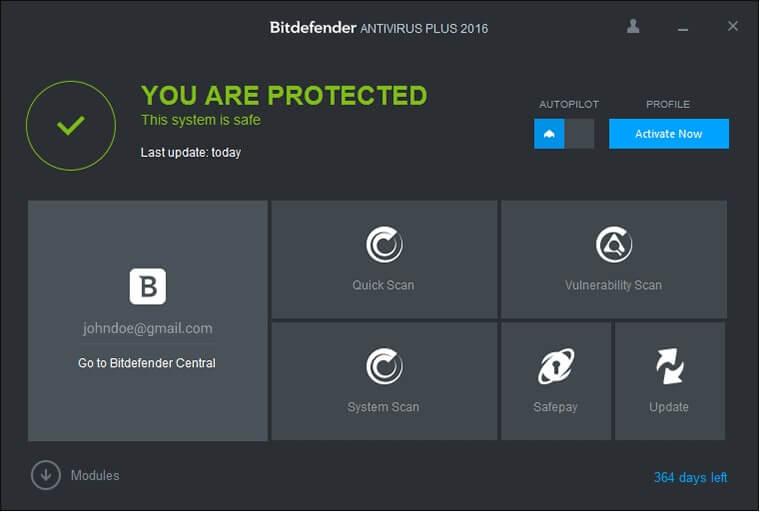
Bitdefender is the best way to keep your system safe. It uses the latest filtering innovations to detect and remove infections, malware, ransomware, and spyware in real time. You are protected against online threats. You are blocked from phishing attempts by malicious websites and infected links. Bitdefender’s ransomware protection is effective. It detects and stops attacks. It also restores encrypted records in the event of an infection. It secures your online shopping by preventing fraudulent websites from stealing your personal data.
The software uses behavioral analysis and machine learning algorithms to detect and prevent advanced threats that traditional antivirus programs miss. Bitdefender encrypts your critical information against unwanted access and protects it from unauthorized changes. It also includes a secure browsing extension for extra safety while surfing the internet. It checks your Wi-Fi setup for vulnerabilities and provides recommendations, so you can rest assured that your connection is secure.
Bitdefender scans your framework for vulnerabilities and outdated programs to help keep your applications secure. The specific features and availability vary based on the format and subscription plan. Visit the official website for the latest Bitdefender developments.
2. Norton 360 Deluxe
Norton offers comprehensive security with an antivirus, a VPN, password management, parental controls, and more. It boasts strong malware detection and an easy-to-use interface. NortonLifeLock delivers a comprehensive security suite with Norton 360 Deluxe. This software combines advanced antivirus and anti-malware tools to provide a high level of security for your Windows 10 device. Norton 360 Deluxe is the best option for protecting your computer against viruses, malware, ransomware, spyware, and other online risks. It combines signature-based alerts with behavior-based detection to find and fix at-risk files.
- Antivirus and malware protection is a necessity.
- This is a smart firewall.
- Password manager
- Secure VPN
- SafeCam is the webcam protection you need.
- Monitor the dark web.
- Cloud backup and storage are essential.
- Parental controls are available.
- Protect your computer with online threat protection.
- PC SafeCam is the best choice.
- Spam and phishing email are protected against.
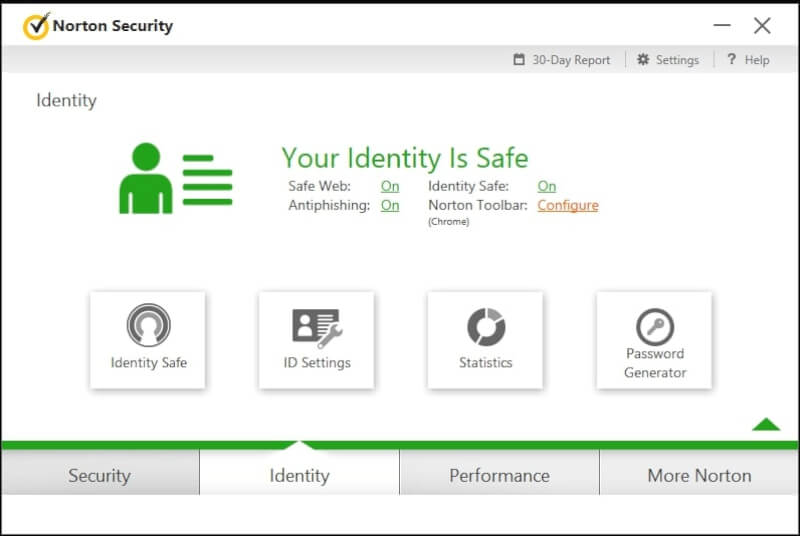
Norton keeps your system safe. It uses advanced filtering innovations to detect and remove viruses, malware, ransomware, and spyware in real time. It protects you against online threats by blocking phishing scams from malicious websites and infected links. Norton’s ransomware protection is guaranteed to detect and stop attacks. It also restores encrypted records in case of an infection. It secures your online transactions by preventing fake websites from capturing your personal data.
The software uses behavioral analysis and machine learning algorithms to detect and prevent advanced threats that traditional computer antivirus programs miss. Norton encrypts your key information against unwanted access and protects it from unauthorized changes. It also includes a secure browsing extension for extra security while surfing the web. It checks your Wi-Fi setup for flaws and provides recommendations, ensuring your connection remains safe.
Norton checks your framework for vulnerabilities and outdated programs to help keep your applications secure. Norton 360 Deluxe features and availability vary depending on format and subscription plan. Visit the official website for the latest updates from the company.
3. Kaspersky Total Security
Kaspersky is the most effective defense against viruses and other internet threats. Its features include real-time scanning, online protection, a firewall, and a VPN. Kaspersky is well known for its ability to deliver advanced detection.
- Antivirus and malware protection is a necessity.
- Real-time scanning
- Protect your web and thwart phishing attempts.
- Firewall
- Virtual Private Network (VPN)
- Password manager
- Enjoy secure online banking and shopping.
- Protect your webcam and microphone.
- Parental controls are available.
- It is essential to back up files and encrypt them.
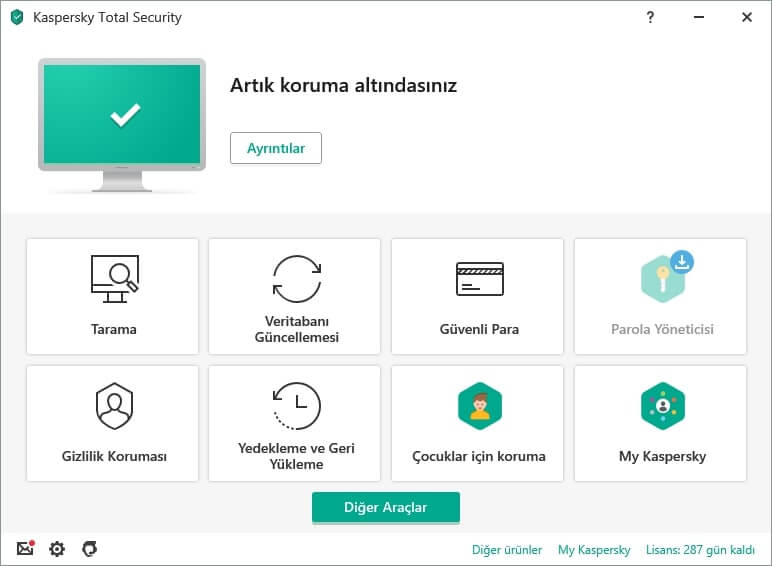
This complete security suite provides robust protection for your Windows 10 device by combining antivirus and anti-malware technologies with a variety of additional features.
Kaspersky Total Security delivers excellent defense against spyware, ransomware, malware, and other online threats. It uses a combination of signature-based and behavior-based detection to find and stop dangerous files and actions.
The software constantly scans your system for threats in real time. This ensures that malicious files or activities are quickly identified and stopped.
This feature ensures safer web browsing by checking for potential threats, including phishing attacks, malware downloads, and risky links.
Kaspersky Total Security includes a firewall that monitors and blocks unauthorized network traffic. This adds an extra layer of defense against hackers and network attacks.
It includes a built-in VPN that encrypts your internet connection. This ensures your online activities remain private and secure, even on public Wi-Fi networks.
Safe Money is a dedicated feature that adds an extra layer of security for online transactions like banking and shopping by creating a secure, isolated environment.
The suite includes a password manager that securely stores your credentials. It allows you to generate strong passwords and automatically fill them when needed.
Kaspersky Total Security is the only solution you need to protect your privacy. It includes webcam protection that alerts you to unauthorized access attempts.
Use this tool to manage your children’s online usage, set screen time limits, block inappropriate content, and monitor their online activities.
Kaspersky Total Security’s backup and encryption features securely store and protect your valuable files and documents.
These features provide multiple levels of security to protect your device and data. Kaspersky Total Security is the complete solution for Windows 10 users.
4. Avast Free Antivirus
Avast is the best free antivirus program. It provides essential protection against viruses, phishing scams, and malicious websites. It boasts an intuitive user interface and offers essential features for daily use.
- Antivirus and malware protection is a necessity.
- Real-time scanning
- Firewall
- Ransomware Shield
- Protect your webcam.
- Secure DNS is the solution.
- Password manager
- Virtual Private Network (VPN)
- Wi-Fi inspector
- Data shredder
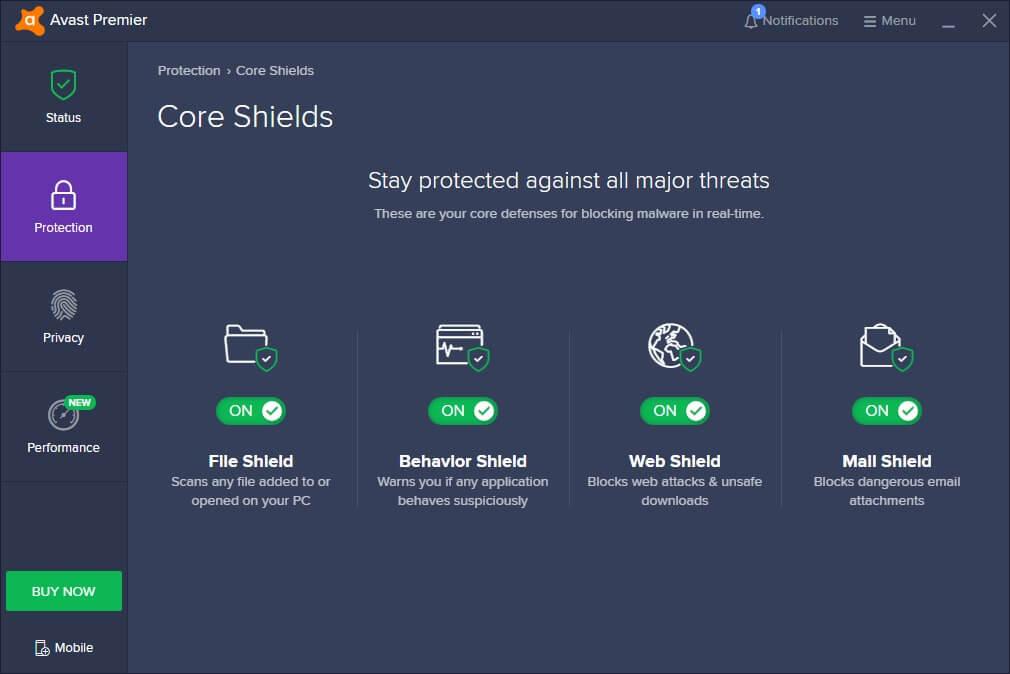
Avast Free Antivirus provides the core protection you need against viruses, spyware, and other internet threats. Avast offers a free version and a premium version with more features.
Your Windows 10 device is protected by our advanced antivirus engine. It uses real-time threat detection and removal to keep your device safe from viruses, malware, spyware, and ransomware.
Avast constantly scans your system for threats in real time to ensure malicious files or activities are quickly identified and stopped.
This feature scans websites for potential risks, such as phishing attempts or malware-infected downloads, ensuring a safer browsing experience.
Avast Email Shield checks all incoming and outgoing emails for suspicious malware attachments and protects against email-based phishing attacks.
This feature scans your Wi-Fi network for vulnerabilities to ensure it is secure and protected against intruders.
Avast Behavior Shield closely monitors how your applications behave while running on your computer. This makes it easy to detect and stop strange activities that indicate malware.
The Smart Scan feature combines multiple scan types at once, including virus checks, outdated software checks, and network security scans.
Avast Free Antivirus’s password manager is simple and effective. It allows you to generate strong, unique passwords for your online accounts and store them securely.
This feature reliably removes potentially harmful or unwanted extensions from your web browsers, enhancing browser security.
Avast’s Do Not Disturb Mode is an essential feature that detects when you are gaming or running full-screen programs. It adjusts system resources accordingly to ensure fewer interruptions and better performance.
The free version of Avast Free Antivirus offers baseline security for Windows 10 users, while the premium versions include additional features like an advanced firewall, webcam protection, and enhanced privacy options.
5. McAfee Total Protection
McAfee offers a wide range of security tools, including a firewall, a password manager, antivirus protection, an online browser shield, and secure file storage. It has a solid history of finding and eliminating viruses.
- Antivirus and malware protection is a necessity.
- Protect your web.
- Firewall
- Password manager
- Secure VPN
- Ensure safe web browsing.
- The file is encrypted.
- Protect your identity now.
- Use these performance optimization tools.
- Parental controls are available.
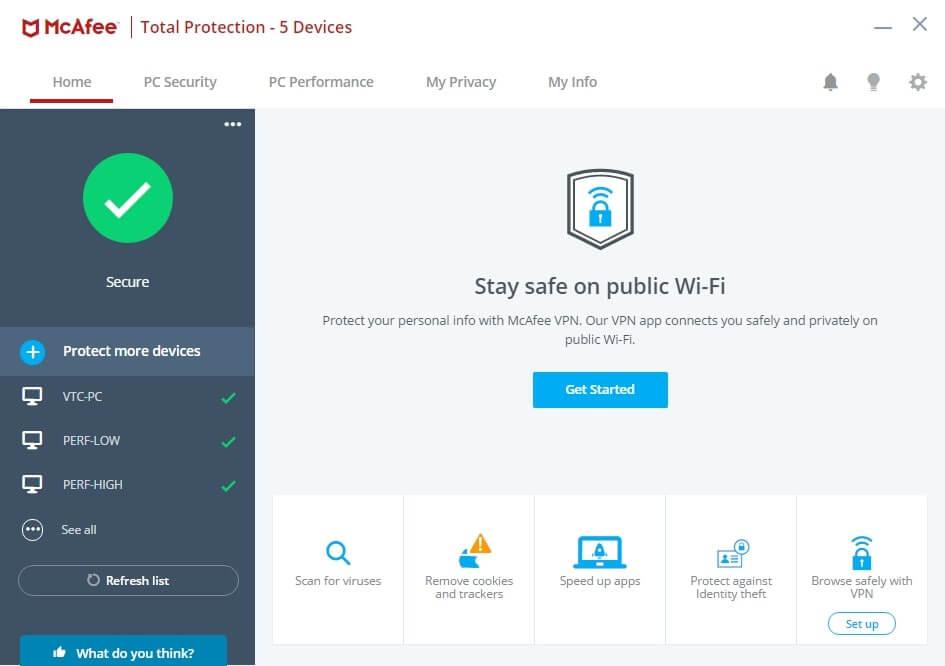
McAfee Total Protection combines antivirus and anti-malware technologies with a suite of additional features to provide advanced security for your Windows 10 device.
McAfee Total Protection is the most reliable defense against spyware, ransomware, malware, and other online threats. It uses a combination of signature-based and behavior-based detection to find and stop dangerous files and actions.
The software ensures safe browsing by scanning websites for potential threats, including phishing attempts, malware downloads, and risky links, preventing you from visiting unsafe sites.
McAfee Total Protection includes a firewall to protect your system from hackers and network threats by monitoring and blocking unauthorized network traffic.
It includes a secure password manager so you can store strong, unique passwords for your online accounts and automatically fill them when needed.
The included Virtual Private Network (VPN) protects your online activity and privacy by encrypting your internet connection, especially when using public Wi-Fi networks.
This feature helps protect your personal information, such as your Social Security number and credit card details, by providing alerts against potential misuse or unauthorized access on the dark web.
This feature adds an extra layer of security to your device by encrypting important files and documents that require protection against unwanted access.
You can easily browse the web safely by blocking dangerous websites and being alerted to phishing attempts and risky downloads.
The system optimization tools will make your device run better by deleting junk files, making startup smoother, and managing system resources.
Track and manage your children’s online activities, limit their screen time, filter out inappropriate content, and monitor their overall usage.
McAfee Total Protection is the only security solution for Windows 10 users that offers multiple security layers and additional tools to keep your device and data safe.
Remember: regular system scans and updating your antivirus software are essential to maintain the highest level of security. Follow these steps to enhance your cybersecurity: practice safe browsing habits, keep your operating system and programs updated, and exercise caution when downloading and opening email attachments.
These antivirus solutions offer a variety of additional features beyond basic malware protection. It is crucial to thoroughly assess the cost of each feature and its compatibility with your Windows 10 system to select the option that optimally aligns with your requirements.