
Metatrader 4 Free Download for PC.
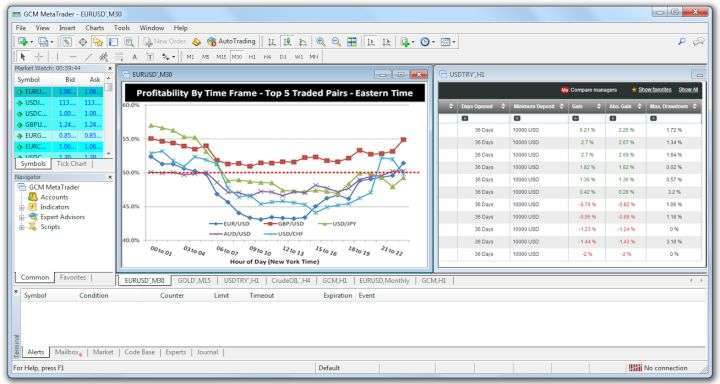
Metatrader 4 is a trading software created for Forex broker companies and investors looking to invest in Forex. It is the best software in the world to make money with currency exchange. The short name for this software is MT4. If you download the original Metatrader Forex software, it can be used to connect with any broker company’s online Forex trading platform. However, Forex broker companies also have their own different versions of Metatrader. The Metatrader 4 software can be downloaded free of charge on Windows, MAC, IOS, and Android operating systems.
Below are MT4 download links for the top 100 brokers that have made Forex investments in different countries around the world.
- License: Free
- O.S.: Windows 11/10/8/7
- Languages: All
- Version: 2026
- File size: 22.6 MB
- Title: mt4setup.exe
- License: Free
- O.S.: Mac
- Languages: All
- Version: 2026
- File size: 196 MB
- Title: MetaTrader4.pkg.zip
Metatrader 5 is an upgraded version of the former software’s interface.
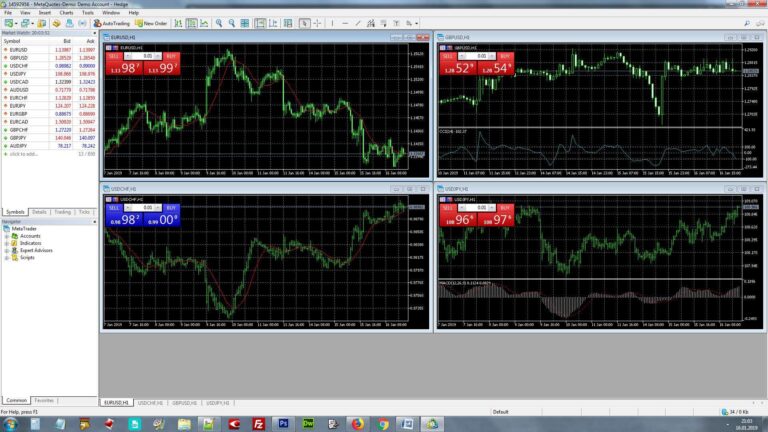
The buttons are larger in size which makes it more user-friendly. It provides a much more secure platform when connected to computers that have a 64-bit operating system. The features available in Metatrader 5 are more compared to version four; its most important one being the ability to connect multiple online investment platforms simultaneously. A download link for the latest installation file from the original website has been provided here. Click on MT5 PC download if you want to use it on your desktop computer or click on an MT5 APK or MT5 IOS download link for installation onto your smartphone.
What is the difference between Metatrader 4 and 5?
Which one should I take? Some traders prefer to work with new software. As Metatrader 5 is the latest version, brokers prefer this one. The most important difference in the software between version 4 and version 5 is that there is a different programming language in each database, MT5 has an MQL5 database while MT4 has an MQL4 database. So it would not be advisable to switch from one version to another regarding transferring saved data.
On the other hand, users who are on 4 and have added new tools into it cannot integrate the software into 5, thus they keep using an older version of Metatrader 4. Metatrader 4 happens to be the most popular Forex software around the globe. Metatrader 5 happens to be preferred by users that are just coming into contact with this system or Forex trading in general.
Top 100 Metatrader 4-5 download links for various Forex Brokers.
1. HotForex (HFM)
The MetaTrader 4 Platform is available for download via the server of HotForex for traders who want to operate in Forex Trading. If you want to invest in Forex through HotForex, you should download the latest version of Mt4 from this site. HotForex offers three different versions of MetaTrader 4 for Windows, Mac, and Linux operating systems. The multi-language support in HotForex MT4 helps members from any country to use the program easily. It has a news feed that allows you to see real-time updates on what is happening on the HotForex platform, this means developments will be seen instantly without delay.
All currency pairs have their respective charts displayed separately for better analysis; this is an advantage of using the HotForex MT4 platform. The interface used by this software will be familiar to anyone who has already used it before so no further training would be required on your part to enable usage of the program. You can click on one or more of the buttons below in order to download the Metatrader 4 forex software as provided by HotForex. The installation file for this software is a single file that works both MAC and Windows, it can thus be installed in either operating system with one file.
2. XM Forex
Metatrader 4 is the trading software offered by XM Forex broker to their clients. XM provides MT4 download link so that users can easily install the program and start trading. When you open a forex account with XM, you will have access to this platform for both desktop and mobile devices. There are two trading programs provided by XM for forex traders; one is Metatrader 4 and another is Metatrader 5. If you already use Metatrader 4, there is no need to download Metatrader 5 because this software does not add anything new that would be beneficial for an existing MT4 user. However, since many people prefer using this program while trading in the foreign exchange market, XM offers four different download options for it. The XM Metatrader 4 program can be installed on a desktop computer as well as on smartphones.
You can also trade without installing any application by accessing the broker’s web-based platform online from your browser. With XM Metatrader 4, you can connect up to eight different platforms at the same time. If desired, micro-lot accounts are available so that you may view forex lots too. More than seven hundred functions have been integrated into the interface of this application in order to enable usage of various trading instruments. Charts are provided on the XM platform so that stock indices and CFD movements may be observed in real-time. To download the XM Metatrader 4 program, you need simply click on one or more of the following four buttons.
You may use this link to view updates or other versions of Metatrader software.

Leave a Reply
You must be logged in to post a comment.